Melo
Visualizing your dreams to uncover emotional patterns
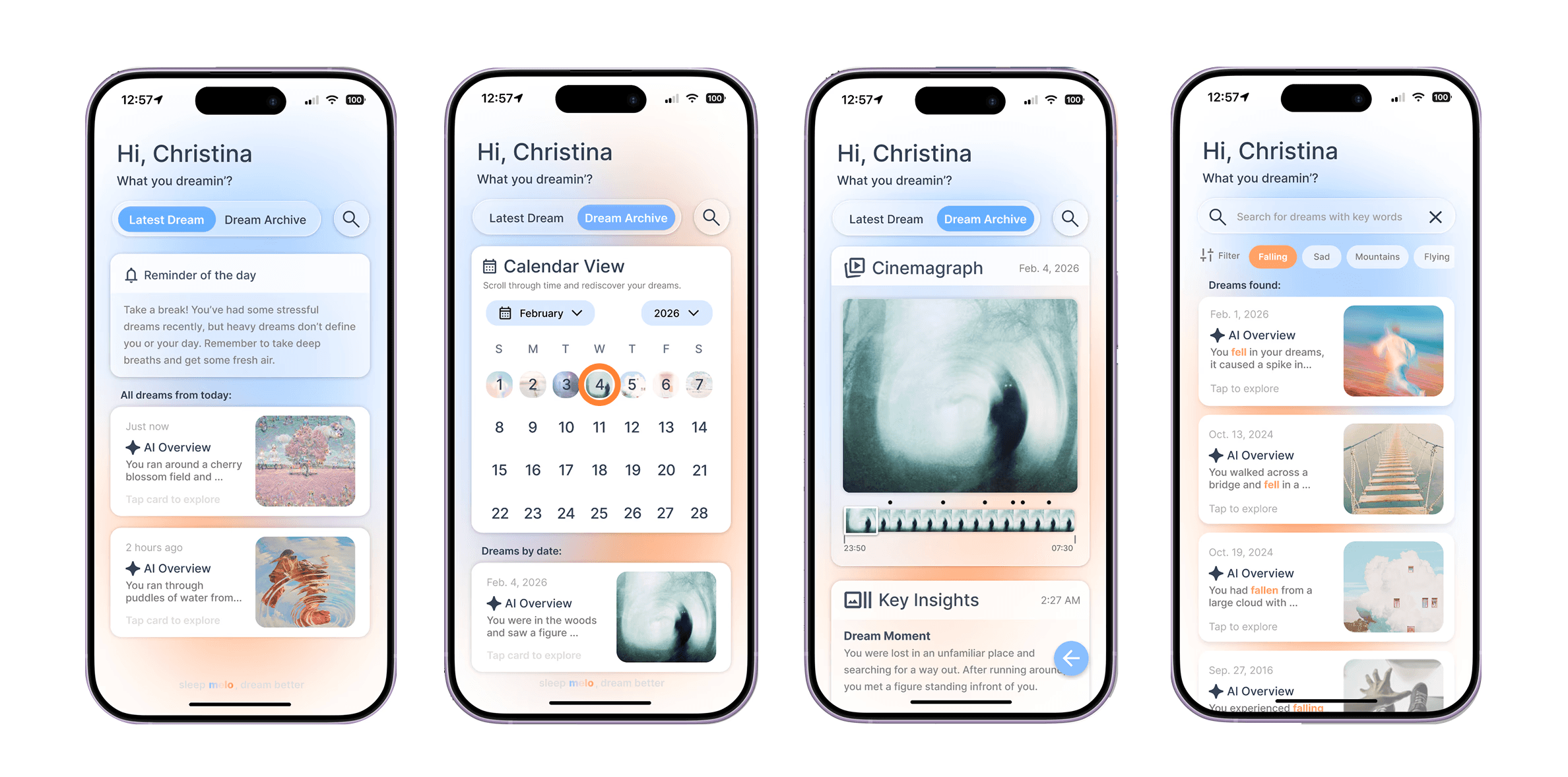
A concept app focusing on visualizing dream patterns through intuitive data representations, helping users uncover connections between their dreams and emotions. Melo encourages self-reflection and a deeper awareness of one’s inner state.
Timeline
72 hours
Background
Melo was created during FigBuild 2026 that explores how dreams can be transformed into meaningful emotional insights. Many people experience vivid or recurring dreams but lack an easy way to reflect on or understand them over time.
Design a tool that tracks, measures, visualizes or quantifies an aspect of human sensory experience. Within the tool, provide the ability to detect, enhance, or manipulate those same sensory inputs.
Research
Tool(s) Used:
FigJam
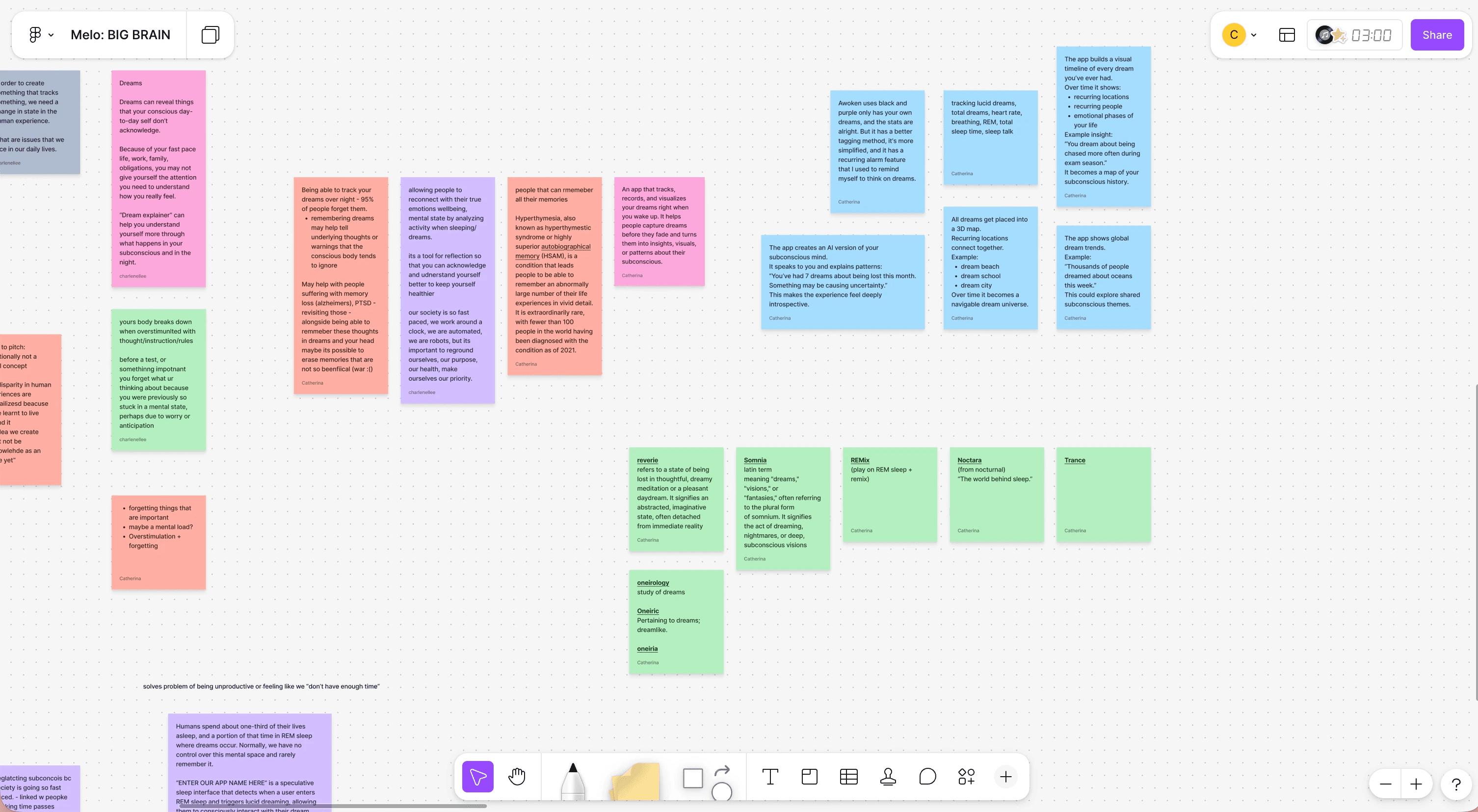
We began by exploring parts of the human experience that are felt but not actively tracked, focusing on overlooked mental states rather than typical productivity problems. Through this, we identified dreams as a key opportunity. Although dreams can reveal subconscious emotions and recurring thoughts, they are often forgotten and rarely reflected on due to fast-paced daily routines.
Design
Tool(s) Used:
Figma
My partner and I divided the design process based on our strengths. She focused on mapping the UI flow to define user actions and interactions. I focused on storyboarding the user experience, thinking through how users would engage with the app and how insights from their dreams would be communicated back to them.
Together we created the interface on Figma.
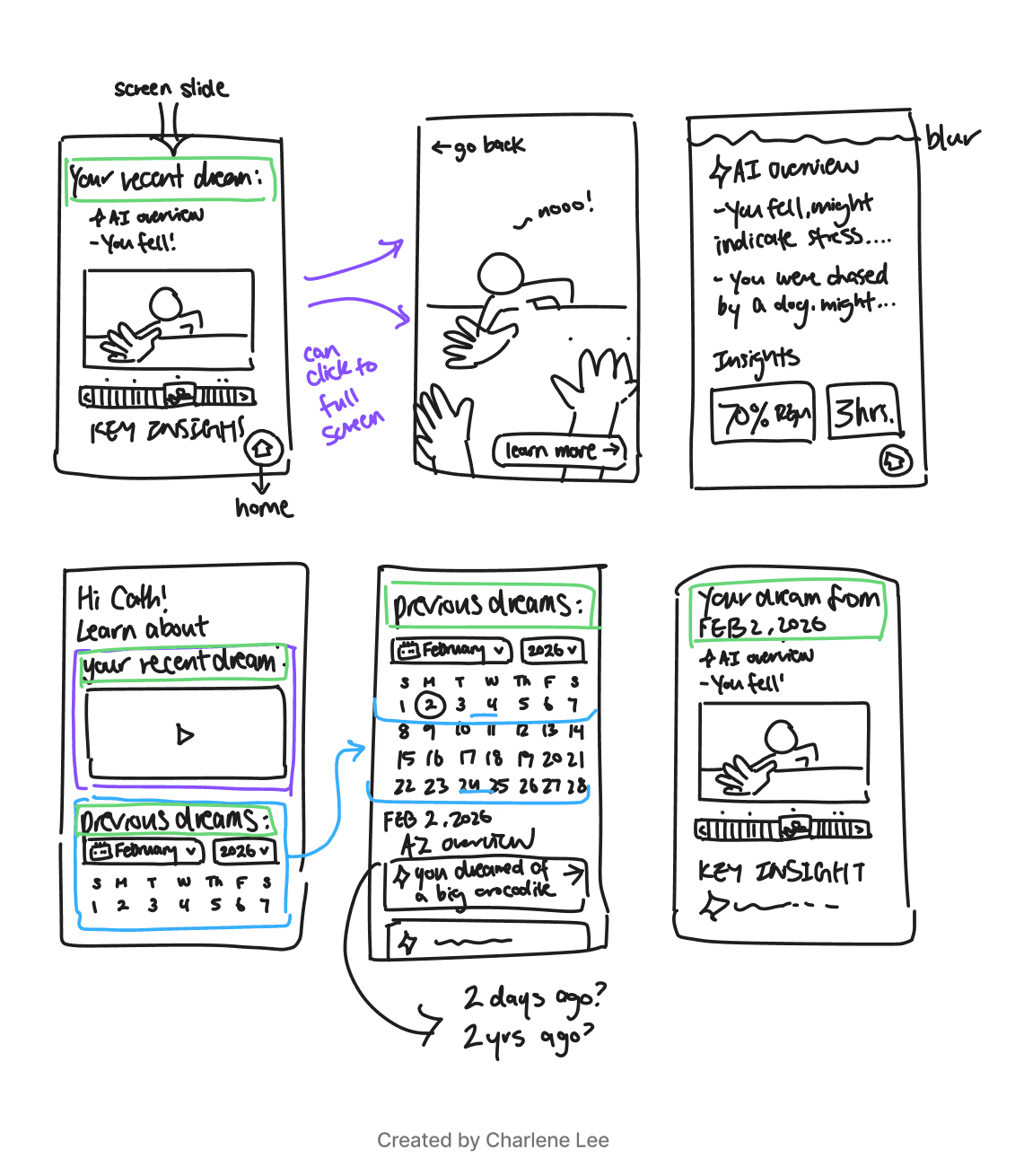
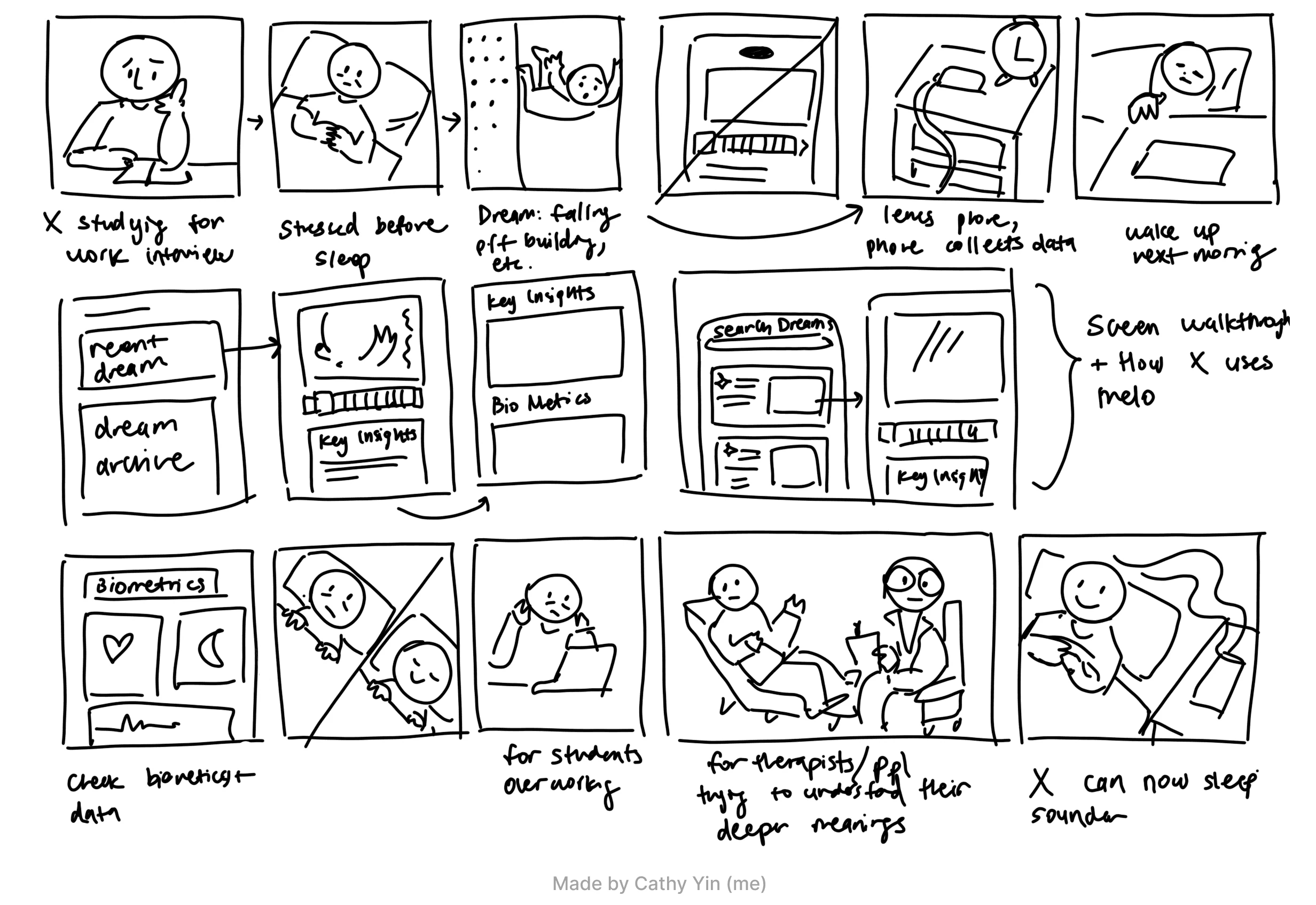
Since the design sprint extended beyond a single day, the interface went through multiple iterations. A key challenge was maintaining visual cohesion while keeping the experience simple and intuitive. With a limited number of screens, we often struggled to balance clarity with functionality without making the interface feel overwhelming.

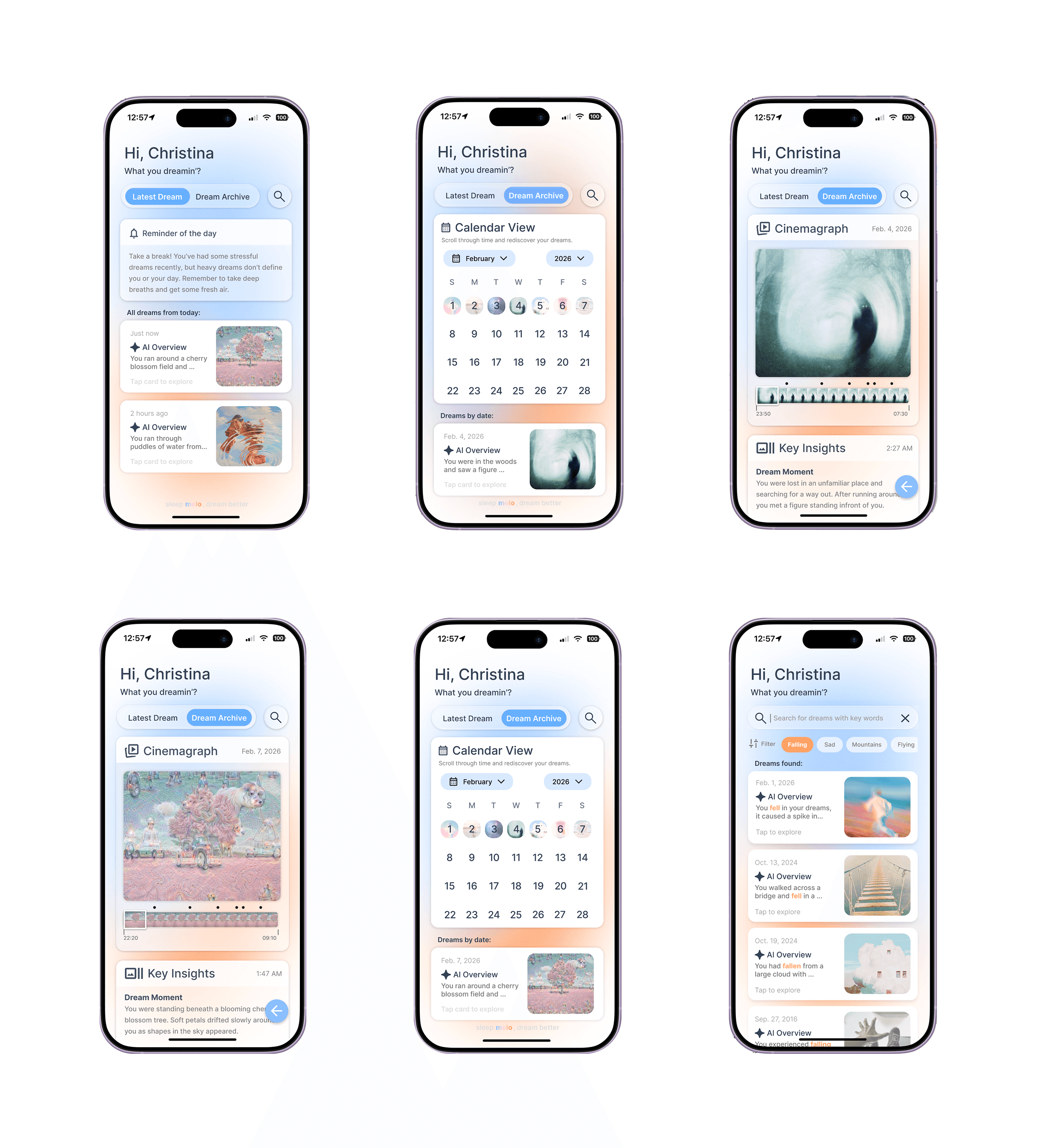
Simplicity and consistency are essential for clarity in user experience
Through multiple iterations, it became clear that too many visual elements and variations made the interface feel confusing despite having a limited number of screens. By standardizing layouts, reducing unnecessary components, and using consistent visual cues, the design became more cohesive and easier to navigate.